Alt Text Generator: Free AI Tools and WordPress Plugins

A site with three thousand images and missing alt attributes is not going to get fixed by hand. An AI alt text generator looks at each picture, writes a one-line description and saves it to the alt field. The best WordPress plugins do that in bulk for a whole media library; the free web services do it one picture at a time. This guide covers both, what the generation gets right and wrong, and the fifteen seconds of editing that separate usable descriptions from embarrassing ones.
What an alt text generator does
The generator sends a picture to a vision model and asks for a description in a sentence. The result lands in the alt attribute, either by copy and paste or, with a plugin, automatically on upload. Alt attributes are what screen readers announce and what search engines use for image SEO, so filling them for every image matters for accessibility and for SEO alike. Many plugins also generate image titles, captions and descriptions while they are at it, which the WordPress media library stores as separate fields.
Our guide to alt text examples explains what a good description looks like; this one is about getting it written at scale, with the plugin and service options for WordPress users and everyone else.
Free alt text generators for single images
For a handful of images, a free web service is enough. Upload the picture, copy the result, paste it into your CMS.
- Klaviyo Alt-Text Generator. Free, no account, runs on Google’s Gemini model. Upload an image and the description appears, no prompt needed.
- AltTextGenerator and similar services. Free single-image generation with a daily allowance, usually with a paid plan for bulk work and API access. Reviews on the usual directories rate them similarly; the differences are in language support and limits.
- ChatGPT, Gemini or Claude. Paste a picture into any of the chat assistants and ask for a description under 125 characters. The quality matches the dedicated services, and you can add context, for example “this image appears in an article about kitchen renovation”, or ask for the result in another language.
The third option is the most flexible, because context is the thing most generators lack. More on that below.
Alt text generator plugins for WordPress
For a media library, a WordPress plugin that can generate image alt text automatically on upload and in bulk for existing images saves days of work. The main options, their features and what the WordPress.org support forums say about them:
| Plugin | Free tier | Bulk processing | Notes |
|---|---|---|---|
| AI Alt Text Generator | yes, with your own API key or managed credits | yes, plus WP-CLI support | automatic generation on upload, several external services as providers, active support forum |
| Alt Audit | free rule-based mode, AI mode with credits | yes | lists every image with missing alt attributes first, no external services in the free mode |
| ShortPixel Image Optimizer | limited | yes | reads the page context, not just the image |
| AltText.ai | trial | yes | 130 languages, Shopify and other CMS support, focus keyword option |
| Alt Text Generator GPT Vision | bring your own API key | yes | pick your AI provider and model |
| Alt Text Studio | limited | yes | descriptions, titles and captions in one pass, integrates with Yoast and Rank Math |
Most of these plugins work the same way. Install the plugin, add an API key for OpenAI, Anthropic or Google, or buy credits from the plugin vendor, then run bulk processing on the media library. The plugin writes the description into the alt field, which WordPress uses wherever the image is inserted afterwards. Some can also set the focus keyword from Yoast or Rank Math as context, so the generated text mentions the page topic for SEO without stuffing it.
Two things to check before a bulk run:
- Images already placed in posts. Several plugins only update the media library. Existing blocks keep their missing alt attributes unless the plugin offers a sync feature; the support forum on WordPress.org usually tells you quickly whether that works.
- Cost per image. With your own API key, generation costs a fraction of a cent per picture at current provider prices, but you are sending image data to external services, which matters for client content. Managed credits are simpler but more expensive.
API key or managed credits?
Plugins that support your own API key give you more control: you choose the model, pay the provider directly and can switch providers later. The setup takes ten minutes and a payment method on the provider’s site. Managed credits skip the setup, which suits a client site where nobody wants to hold an API key, but the price is higher and the model choice is the vendor’s. Either way, the data leaves your server, so check what the privacy policy of the service says about retention.
For WP-CLI users, AI Alt Text Generator and a few others expose a command, so a scripted run over fifty thousand images can happen overnight without touching the admin, with language and focus settings passed as parameters.
Shopify and other platforms
Shopify stores get generation through apps in the Shopify App Store, and AltText.ai offers a direct integration alongside its WordPress plugin. For a static site or a custom CMS, the API route is simpler than any plugin: a short script sends each picture to a vision model and writes the description into your image data. Any of the major AI providers can do this, and the open-source models on Hugging Face work too if you want to keep the processing in-house rather than with external services.
How accurate is AI generated alt text?
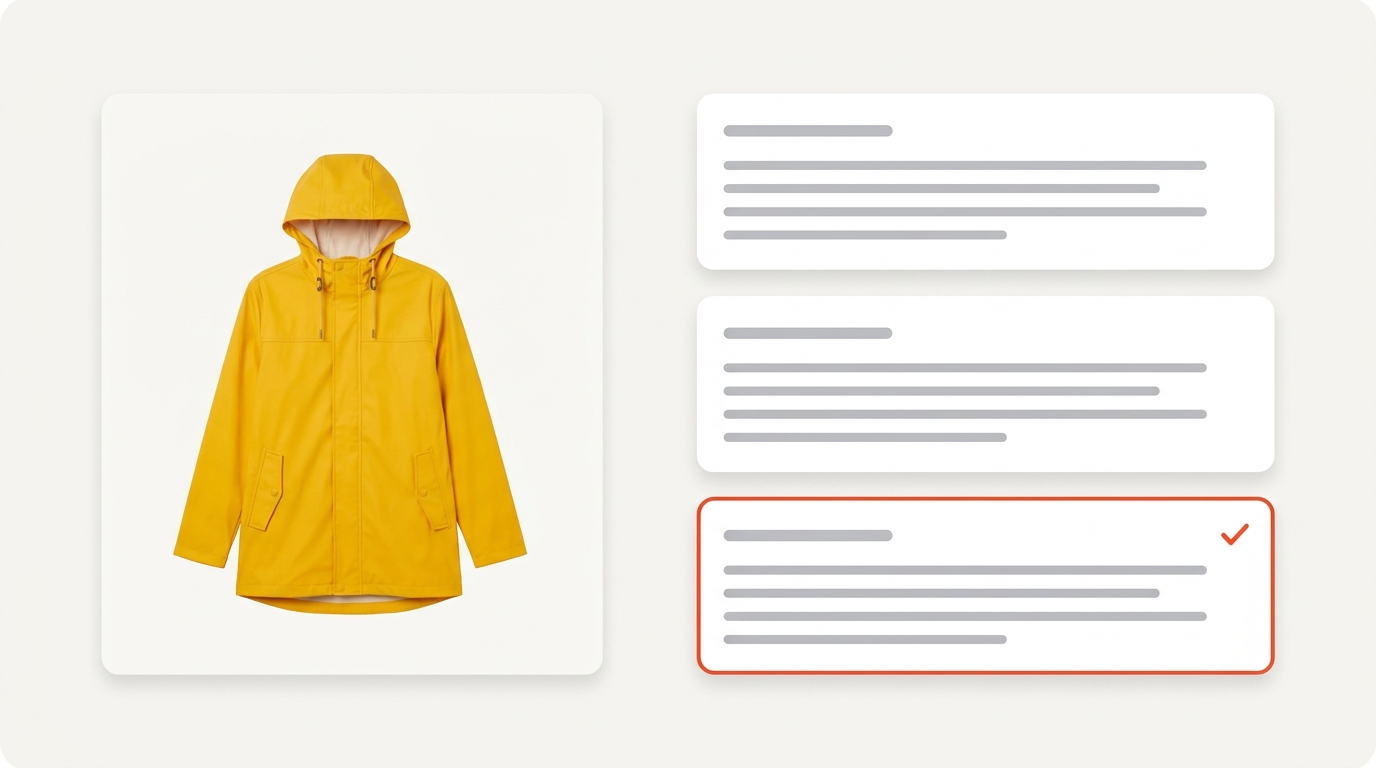
Good at describing, bad at knowing why the image is there. A generator reliably produces “A woman in a yellow raincoat walking a dog across a wet street”. What it cannot know is that the page is about the raincoat, so the description should be “Yellow waterproof raincoat with hood, shown on a rainy street”. Context is the whole difference between acceptable and useful, and it is why users of the context-aware plugins report better results than users of the plain ones.
Typical failures to watch for:
- Wrong emphasis. The model describes the background instead of the product.
- Hallucinated detail. Brands, breeds, locations and ages that the image does not show.
- Redundant openings. “Image of” and “Picture showing” waste characters a screen reader will read aloud.
- Text in images ignored. A chart or a quote image needs its content in the description, not its colors.
- Decorative images described. A divider or a background texture should get an empty alt attribute, not a sentence.
- Keyword stuffing. Some SEO-focused generators push the focus keyword into every description, which reads badly and can look like spam to search engines.
The editing pass that makes it work
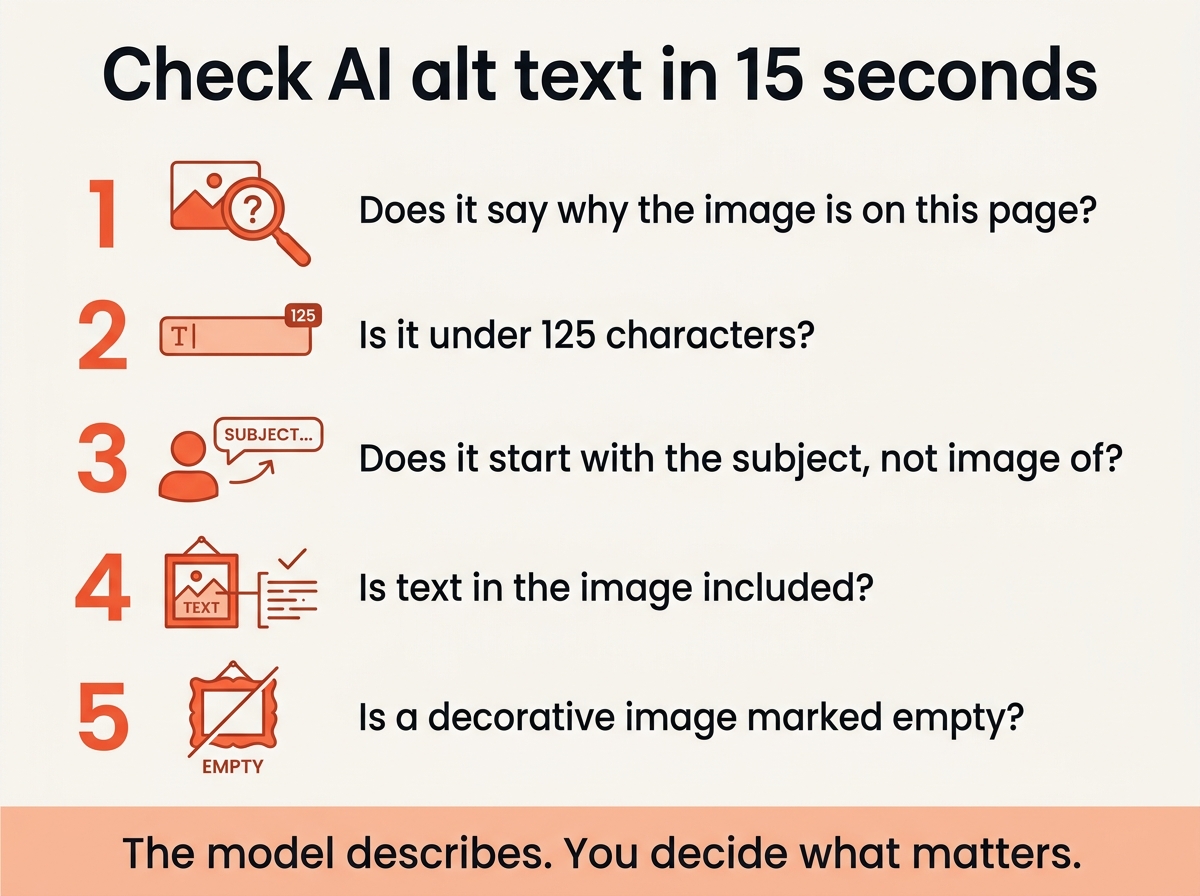
Generate first, then review each description against the page it appears on:
- Does it say what matters for this page? If not, rewrite the first few words.
- Is it under about 125 characters? Screen readers may cut off longer text.
- Does it start with the subject, not “image of”?
- Is any text in the image included?
- Is a purely decorative image marked as empty?
For plugins that read page context, such as ShortPixel’s, the first check is usually already done. For single-image services, giving the model the context in the prompt gets you most of the way. Either way, the quality depends more on this pass than on the model, and users who skip it are the ones who end up with “image of a woman” on a product page.
Does alt text help SEO?
Yes, in two ways. Image search relies on it heavily, and it is one of the signals search engines use to understand what a page is about. It is not a place for keyword lists: one natural mention of the topic, inside an honest description, is the right amount for SEO. Our guide to image SEO ranks alt attributes against the other image signals such as file names, captions and image sitemaps.
Alt text, title and caption: which field is which?
Generators often fill three fields, and they do different jobs:
- Alt attribute replaces the image for screen readers and search engines. Required for every informative image.
- Title appears as a tooltip in some browsers. Optional, and usually best left short or empty.
- Caption is visible text under the image. It adds context the alt text should not repeat.
If a plugin writes the same sentence into all three, turn the title and caption generation off. Duplicate text helps nobody, reads oddly on the page, and is one of the most common complaints in plugin reviews.
Frequently asked questions
Is there a free alt text generator?
Yes. Klaviyo’s web tool is free with no account, several other sites offer a daily free allowance, and the chat assistants from OpenAI, Google and Anthropic describe images on their free tiers.
Can AI generate alt text for WordPress images in bulk?
Yes, with a plugin such as AI Alt Text Generator or Alt Audit. Bulk processing usually needs an API key or credits; check whether the plugin also updates images already placed in posts, and whether it supports your content language.
Should I edit AI generated alt text?
Always at least skim it. The model does not know your page, so check the emphasis, remove “image of” and include any text that appears in the picture.
How long should alt text be?
Under about 125 characters. One sentence that names the subject and the one detail that matters.
Which alt text generator works with Shopify?
AltText.ai has a direct integration, and the Shopify App Store lists several alternatives. Compare the per-image price and the language support before a bulk run.
How do I check if my images have alt text?
Alt Audit lists every image without it on a WordPress site. For any site, a crawler such as Screaming Frog reports missing alt attributes page by page, and the alt text examples guide shows how to check a single page in the browser.
The short version
Use a free web service or a chat assistant for a few images, a WordPress plugin with bulk processing for a library, and the API for anything custom. Whatever generates the text, spend fifteen seconds per picture checking that it describes why it is on the page, because that is the part no generator knows.