Image SEO: 7 Fixes That Actually Move Rankings

Image SEO advice usually arrives as a flat list of twenty tips, which is unhelpful because the items are nowhere near equal. Renaming a file is worth a fraction of what fixing a four megabyte hero image is worth.
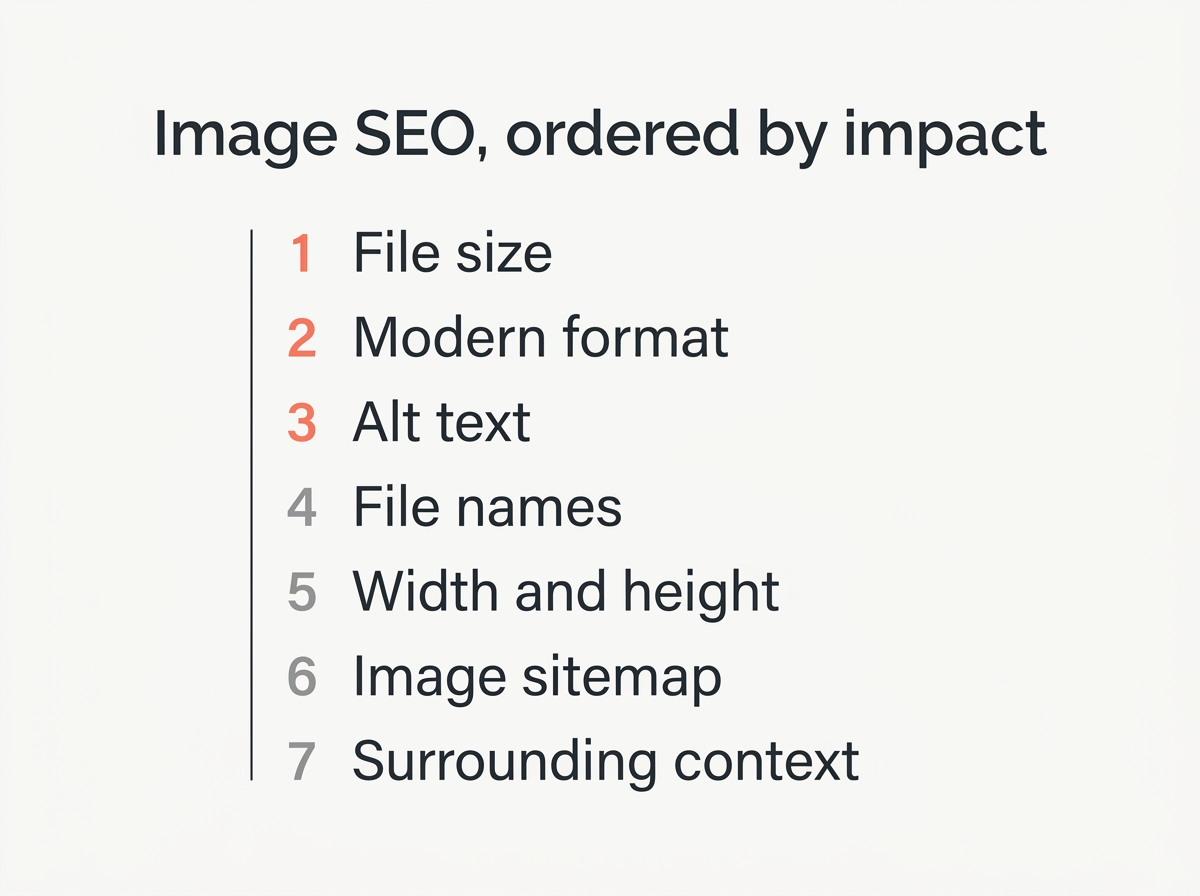
This is the same list of best practices, ordered by how much each change actually moves the needle. Work down it and stop when the effort stops paying.
Why image optimization is worth the time
Images are usually the heaviest thing on a page and the least optimized. That combination is why image SEO best practices pay off faster than most other technical work on a website.
Three things improve when you get it right:
- Visibility in Google search. Google Images is a search surface in its own right, and optimized pictures can bring organic traffic from queries your text never ranks for.
- Faster pages and better user experience. Compression and correct dimensions cut load time, which improves Core Web Vitals and keeps people on your website instead of bouncing back to the search results.
- Context for search engines. Alt text, captions and file names help search engines understand what an image shows, which strengthens the page that contains it.
None of this requires new content. You are improving assets your website already has.
1. Fix the file size before anything else
An oversized image is the only item here that hurts your rankings directly rather than indirectly. Large files slow the page, slow pages score badly on Core Web Vitals, and Core Web Vitals feed into search ranking.
The usual culprit is a photo straight from a phone or a stock library, dropped into a page at full resolution. A 4000 pixel wide image displayed in an 800 pixel column is carrying around five times the data it needs.
Two fixes, in this order. Scale the image to the size it will actually display at, then apply compression. Our image resizer and image compressor both run in your browser, so you can do it before the file ever reaches your media library.
As a rough target for optimization, aim for under 200 KB for a content image and under 400 KB for a full width hero. Anything above a megabyte needs a reason.
2. Use a modern image format
Format choice compounds with the previous fix. WebP produces files roughly a quarter to a third smaller than JPEG at the same visible quality, and every current browser displays it.
Converting an existing library is dull but mechanical. Our format converter handles WebP, JPEG, PNG and AVIF one file at a time, and most content management systems now have a plugin that converts on upload.
Keep PNG for screenshots, logos and anything with text or sharp edges. Keep JPEG only where compatibility outside the browser matters.
3. Write alt text that describes the image
Alt text exists for people using a screen reader. Search engines read it because it is the most reliable description of the image content they have, which is why it matters for image SEO as a side effect rather than as its purpose.
What good alt text looks like:
- It describes what is in the picture, specifically. “Golden retriever puppy sitting in a cardboard box” beats “dog”.
- It is short. Under roughly 100 characters covers almost every case.
- It does not start with “image of” or “picture of”. The screen reader already announced that it is an image.
- It contains your keyword only when the keyword honestly describes the picture.
- It is empty for decorative images. A spacer or a background flourish gets `alt=””` so screen readers skip it.
The failure mode worth avoiding is stuffing. An alt attribute reading “cheap running shoes buy running shoes best running shoes” helps nobody and reads as spam to both a screen reader and a search engine.

4. Give files descriptive names
File names are a weak signal, but they cost nothing. `DSC_0048.jpg` tells a search engine nothing. `golden-retriever-puppy-box.jpg` tells it something.
Three rules cover it. Use hyphens rather than underscores, because Google treats a hyphen as a word separator and an underscore as a join. Keep it to three to five words. Describe the picture rather than the page it sits on.
Do this at upload time. Renaming files after publication means updating every reference to them, which is rarely worth the trouble.
5. Set width and height on every image
This one is pure Core Web Vitals. When an image has no dimensions in the markup, the browser does not know how much space to reserve, so the text below it jumps when the image finally loads. That jump is measured as Cumulative Layout Shift and it counts against you.
Adding `width` and `height` attributes fixes it entirely. Modern browsers use the two numbers to calculate the aspect ratio and hold the space open, even when CSS resizes the image afterwards.
Lazy loading belongs in the same conversation. Adding `loading=”lazy”` to images below the fold is almost always a win. Adding it to your hero image is not, because you have just delayed the largest element on screen and damaged your Largest Contentful Paint.
6. Add your images to a sitemap
Search engines find most images by crawling the page they sit on. The ones they miss are usually loaded by JavaScript, and an image sitemap is how you tell Google about those.
Google’s documentation on image sitemaps is clear that you can either build a dedicated image sitemap or add image tags to your existing one, and that both work equally well. Each page entry can hold up to 1,000 images, and the image URL is the only required field.
Two details catch people out. Images hosted on a different domain, such as a CDN, need that domain verified in Search Console before they count. And your robots.txt must not block the directory your images live in, which happens more often than you would expect.
If you run WordPress, your SEO plugin almost certainly generates this already. Check that it is switched on rather than building one by hand.
7. Put the image near the text that explains it
Search engines use the context around an image to understand what it shows. For example, a photo sitting under a relevant heading is far easier for Google to interpret than the same photo alone. A picture dropped into a page with no caption, no nearby heading and no relevant sentence is an orphan.
Captions help twice over. People read them more often than body text, and they give a search engine a short, human description tied directly to the picture. That improves both user experience and the chance of the image surfacing in search results. A relevant heading immediately above the image does similar work.
This is also the cheapest fix on the list, because it costs one sentence.
What matters less than people claim
Three things absorb more attention than they deserve.
Image titles. The `title` attribute shows a tooltip on hover and does nothing useful for search. Fill it in if you like, but not instead of alt text.
EXIF data. Camera metadata is not a ranking factor. It is worth stripping before publishing for privacy reasons, since it can contain GPS coordinates, but not for SEO.
Exact keyword file names. A descriptive name is enough. Forcing your target phrase into every file name is the kind of optimisation that stopped working a decade ago.
Quick answers
What is image SEO?
Everything that helps search engines understand, find and rank the images on your website, plus everything that stops those images slowing the page down. Done well it improves both visibility in Google search and the experience of everyone who visits.
How do I write good alt text?
Describe what is in the picture in a short, specific sentence. Skip “image of”. Use your keyword only when it genuinely fits what the image shows.
Do image file names matter for SEO?
A little. Descriptive names with hyphens are better than camera defaults, but this is a small signal compared with file size and alt text.
How big should images be?
Small enough that the page loads fast. Under 200 KB for most content images, and sized to the dimensions they are displayed at rather than the dimensions they were shot at.
Does lazy loading hurt SEO?
Only when you apply it to images above the fold. Lazy load what is below the first screen, load the hero image normally.
How do I get my images into Google Images?
Make them crawlable, describe them with alt text and surrounding content, and include them in a sitemap. Nothing beyond that is in your control.
The order that matters
If you have an afternoon rather than a week, do the first three. Resize and compress every image above a megabyte, convert the library to WebP, and write real alt text on the pages that matter most.
Those three cover most of the gap between a website that is slow and invisible in Google search and one that is neither. Better compression and better alt text will do more for your search results than any amount of fine tuning further down the list. The rest is refinement.