Convert HEIC to JPG online without uploading a single photo. Upload your images into this tool, pick JPG, PNG or WebP, and download your converted images one by one or as a ZIP. All processing happens directly in your browser; nothing is sent to a server.
How to convert HEIC to JPG
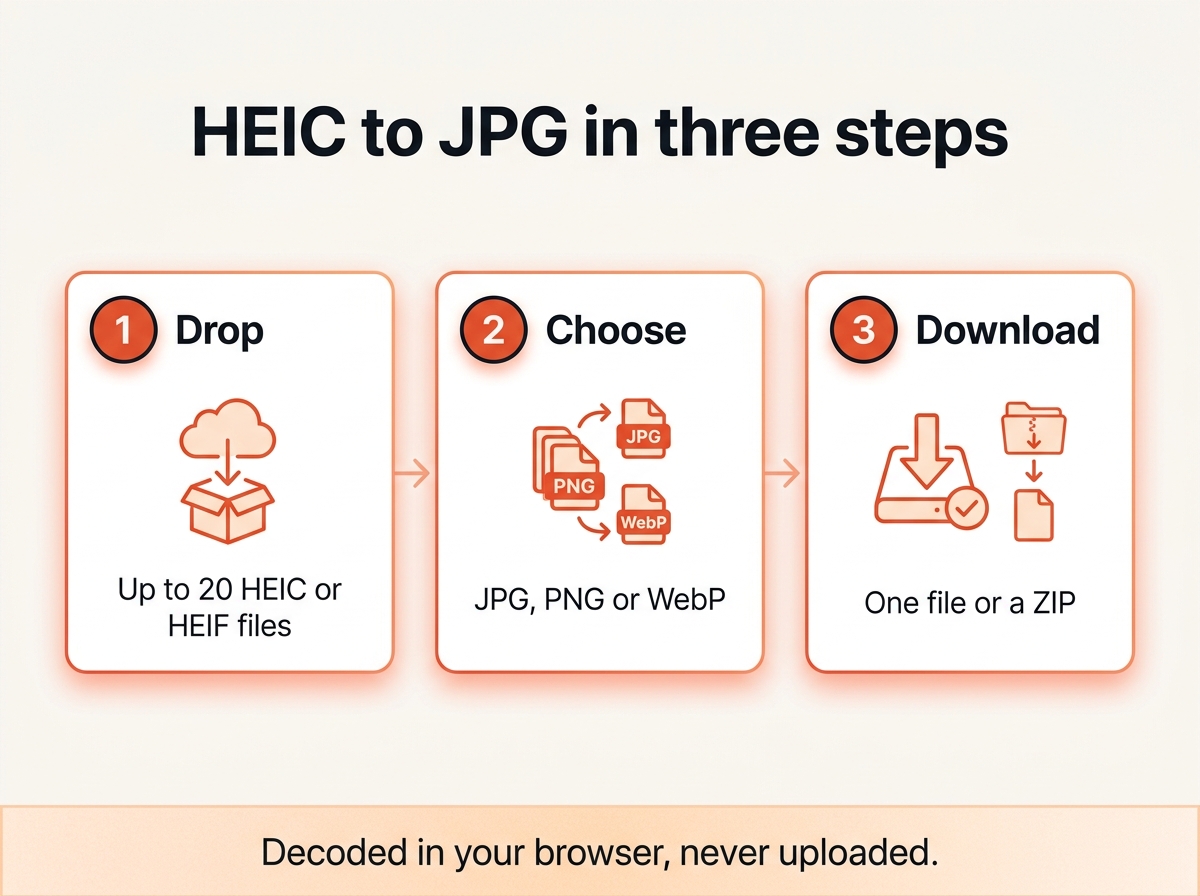
- Upload your HEIC or HEIF files into the box above, or drag them in. You can convert up to 20 at once.
- Pick the image format you need. JPG is the default and opens everywhere. PNG keeps the image lossless, WebP is smallest for websites.
- Set the image quality. 90 keeps photos visually identical to the original.
- Download your images, one by one or all together.
Safari decodes HEIC natively. Chrome, Edge and Firefox load a small decoder the first time, which takes a second or two. In both cases your files are processed on your device and never uploaded.
What is a HEIC file?
HEIC is the image format iPhones and iPads have used since iOS 11. It stores a photo at about half the size of a JPG with the same quality, which is why Apple chose it. The catch is compatibility: Windows, many websites and web forms, older apps and most print services cannot open HEIC images. Converting them to JPG is the quickest fix for sharing. Our guide to HEIC conversion covers the built-in options on Windows, Mac and iPhone as well.
HEIC vs JPG
| HEIC | JPG | |
|---|---|---|
| File size | about half | baseline |
| Compatible with Windows out of the box | no | yes |
| Accepted by websites and forms | rarely | always |
| Live Photos, depth, 16-bit color | yes | no |
Keep HEIC as your archive on Apple devices and use JPG whenever a photo leaves that world. A converted JPG is larger than the HEIC, usually by 50 to 100 percent, because JPG is the less efficient format.
Does the conversion lose image quality?
A little, and you will not see it. HEIC is itself lossy, and the conversion adds a second pass. At quality 90 or above the difference is invisible at normal size. Depth maps, Live Photo motion and 16-bit color cannot be stored in a JPG and are dropped; a HEIC with several frames, such as a burst, becomes one JPG of the main picture.
A free HEIC to JPG converter that never uploads
Most HEIC to JPG tools online send your photos to a server for processing. This tool decodes them in your browser with WebAssembly, so the conversion is private, works offline after the first load, and has no file limits beyond your device’s memory. That is why it is safe for family pictures and anything else you would not hand to a stranger.
Frequently asked questions
How do I convert HEIC to JPG for free?
Drop the files into the converter above and download your JPGs. No cost, no sign-up, no watermark.
Can I batch-convert HEIC to JPG?
Yes, 20 files per batch, with the same format and quality for all, and a ZIP at the end.
Why can’t Windows open my HEIC photos?
Microsoft ships the decoder separately as the HEIF Image Extensions. Converting to JPG avoids the installation entirely.
Will the converted JPG keep the EXIF data?
Camera data and the capture date are kept. GPS coordinates stay too, so use the metadata remover before sharing a photo publicly.
Can I stop my iPhone from saving HEIC?
Yes. Under Settings, Camera, Formats choose Most Compatible, and the camera saves JPG from then on. Existing HEIC photos stay as they are, which is what this tool is for.
Is the JPG larger than the HEIC?
Usually yes. If size matters more than compatibility, run the result through the image compressor.