WebP to GIF: Convert Static and Animated Files
An animated WebP from a website refuses to play in your email client, a messenger or an old slideshow tool. Converting it to GIF fixes that, because GIF plays almost everywhere. The trade is size and quality: GIF is limited to 256 colors and a single level of transparency, so the result is larger and sometimes grainier than the original. Here is how a WebP to GIF converter works in the browser, how to do it on the command line, what happens to your image, and when a different format serves you better.
What changes in the conversion
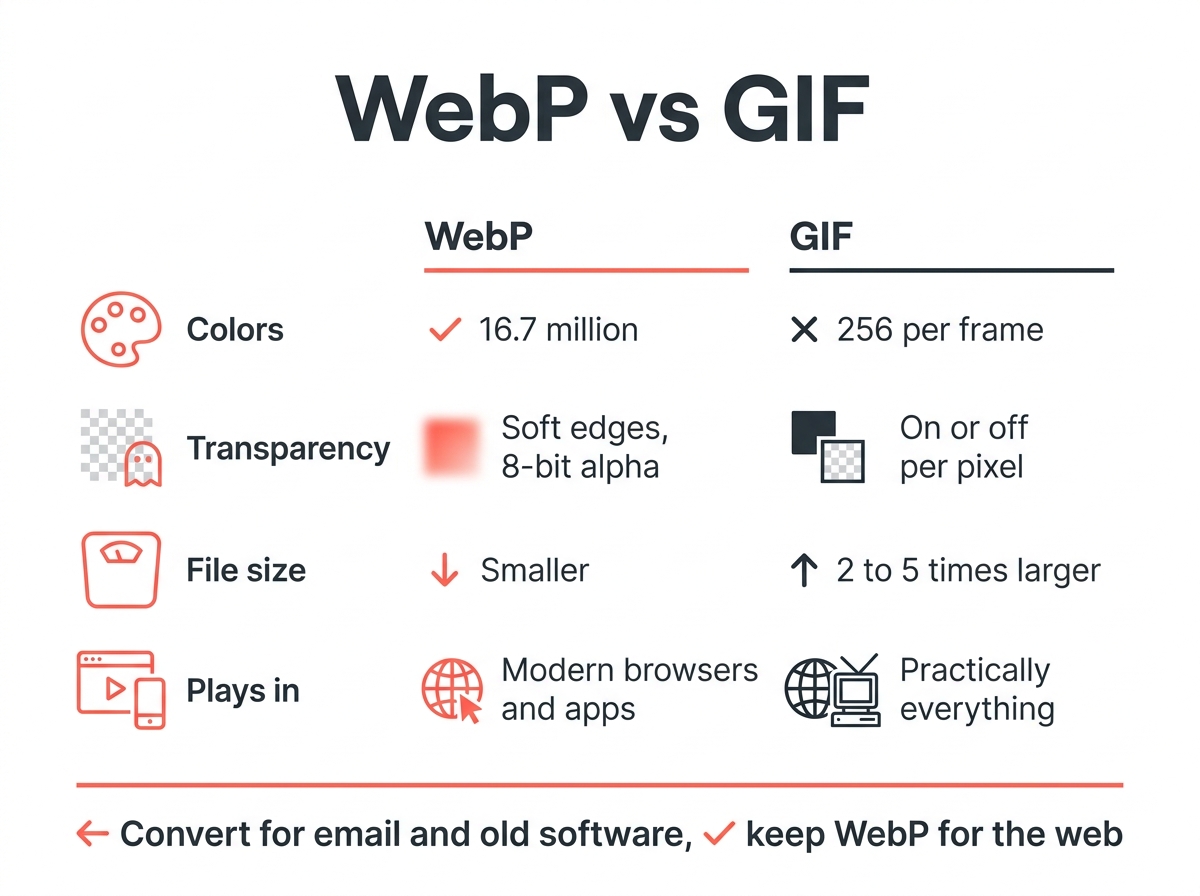
| WebP | GIF | |
|---|---|---|
| Colors | 16.7 million | 256 per frame |
| Transparency | 8-bit alpha, soft edges | On or off per pixel |
| Moving images | Yes, lossy or lossless | Yes |
| Size of the same clip | Smaller | Typically 2 to 5 times larger |
| Plays in | Current browsers, many apps | Practically everything |
Google’s own WebP FAQ puts the gap at 64 percent: an animated GIF converted to lossy WebP shrinks by that much, which means the reverse direction produces a larger file by roughly the same factor. WebP supports both lossy and lossless encoding; GIF knows only its palette method. For static WebP images, the conversion makes even less sense; PNG keeps all colors and transparency, and the guide on converting WebP to PNG covers it.
1. Convert in the browser without uploading
Several free GIF converter sites run entirely in the browser, so your image never reaches a server: it is decoded on your device, re-encoded as GIF, and you can click Download. Drop the WebP in, wait a second, done. This tool type is the right choice for private clips or client material. Limits are usually around 50 MB, which covers any sticker or short loop, and the files are deleted from memory as soon as you close the tab.
Other converters upload to a server, such as Ezgif or CloudConvert. They work equally well and often offer extra options like trimming, resizing or changing the loop count. They are fine for public content and social media clips; for anything confidential, keep the conversion local. Whichever tool you use, the converter keeps the sequence intact while the quality drops slightly.

2. Command line: ImageMagick
For a folder of image files, or to automate converting WebP to GIF, ImageMagick handles moving WebP since version 7. You may need to install it first (Homebrew on Mac, the installer on Windows):
magick animation.webp animation.gifTo cap the palette and keep the file small, add -layers optimize:
magick animation.webp -layers optimize animation.gifEvery WebP in a folder on Mac or Linux:
for f in *.webp; do magick "$f" "${f%.webp}.gif"; doneImageMagick preserves the count and delays. If the output stutters, the original used variable delays that GIF rounds to hundredths of a second; most viewers do not notice.
Is the movement preserved?
Yes. Order and delays carry over, and both static and moving images keep their dimensions. What does not carry over is the color depth: the limited palette of 256 entries means gradients or photographic footage may show banding. Semi-transparent edges become hard edges, because GIF only knows fully see-through or fully opaque pixels. Clips with flat colors, text and simple shapes, which is most stickers and UI recordings, convert without visible loss in quality.
Why is the GIF bigger than the original?
Because GIF compression is from 1989 and WebP compression is from 2010. GIF stores every picture of the sequence separately, while WebP reuses information between them and offers superior compression by discarding detail the eye does not see. A 400 KB WebP loop routinely becomes a 1.5 MB GIF, and the larger result may exceed upload limits on some platforms. To keep the GIF manageable, reduce the dimensions, drop the frame rate or shorten the clip before converting.
Better alternatives for most uses
- Website or app: Keep the WebP. Every current browser supports it, moving images included, and the page loads faster.
- Messaging: WhatsApp, Telegram and iMessage accept MP4 or their own sticker formats; a short MP4 is far smaller than a GIF.
- Email: GIF is still the only moving format that works across all common email clients, so this is the one place converting WebP to GIF is worth it. If you need motion in a newsletter, convert.
- Static image: Use PNG or JPG instead. The image converter does that in your browser, and the explainer on what a WebP file is lists the platforms and programs that support WebP and those that do not.
For the broader picture of which format suits which job, you can read the guide to image formats.
Quick answers
How do I convert a moving WebP to GIF? Use a WebP to GIF converter that processes the file locally, or run ImageMagick with a single command. Frames and delays are preserved.
Can I convert WebP to GIF without losing quality? Not entirely. GIF has a limited palette of 256 colors, so photos and gradients lose some smoothness. Flat graphics convert cleanly.
Why does my WebP not open as a GIF when I rename it? Renaming changes the label, not the data. Your image has to be re-encoded by a converter.
Is GIF or WebP better for moving images? WebP, for anything that supports it: smaller image files, full color, soft edges. GIF wins only on compatibility with old software and email.