What Is a WebP File? How to Open, Convert and Use It
You save a picture from a website, and instead of a JPG you get a file ending in .webp that your old photo editor refuses to open. WebP files are everywhere now, and they are not a nuisance so much as a format that does one thing very well. Here is what WebP is, how to open and convert WebP images, and when to use it for your own website.
What is a WebP file?
WebP is an image format Google released in 2010 for the web. A WebP file holds the same picture as a JPG or PNG in a noticeably smaller file: Google’s own figures put lossy WebP images at 25 to 34 percent smaller than comparable JPEGs and lossless WebP at about 26 percent smaller than PNG. Smaller files mean faster pages, which is why nearly every large website now serves WebP images.
Technically, WebP files combine ideas from the VP8 video codec with a container that can also carry transparency, animation, color profiles and metadata. One format, in other words, covers what JPG, PNG and GIF used to split between them.
What WebP images can do
| Feature | WebP | JPG | PNG | GIF |
|---|---|---|---|---|
| Lossy compression | yes | yes | no | no |
| Lossless compression | yes | no | yes | yes |
| Transparency | yes | no | yes | limited |
| Animation | yes | no | no | yes |
| Typical size vs JPG | 25 to 34% smaller | baseline | much larger | large |
That mix is the whole point. A transparent logo, a photo and a short animation can all be WebP files, each smaller than the format it replaces. Our guide to image formats compares WebP with AVIF, the newer rival that goes smaller still.
How to open a WebP file
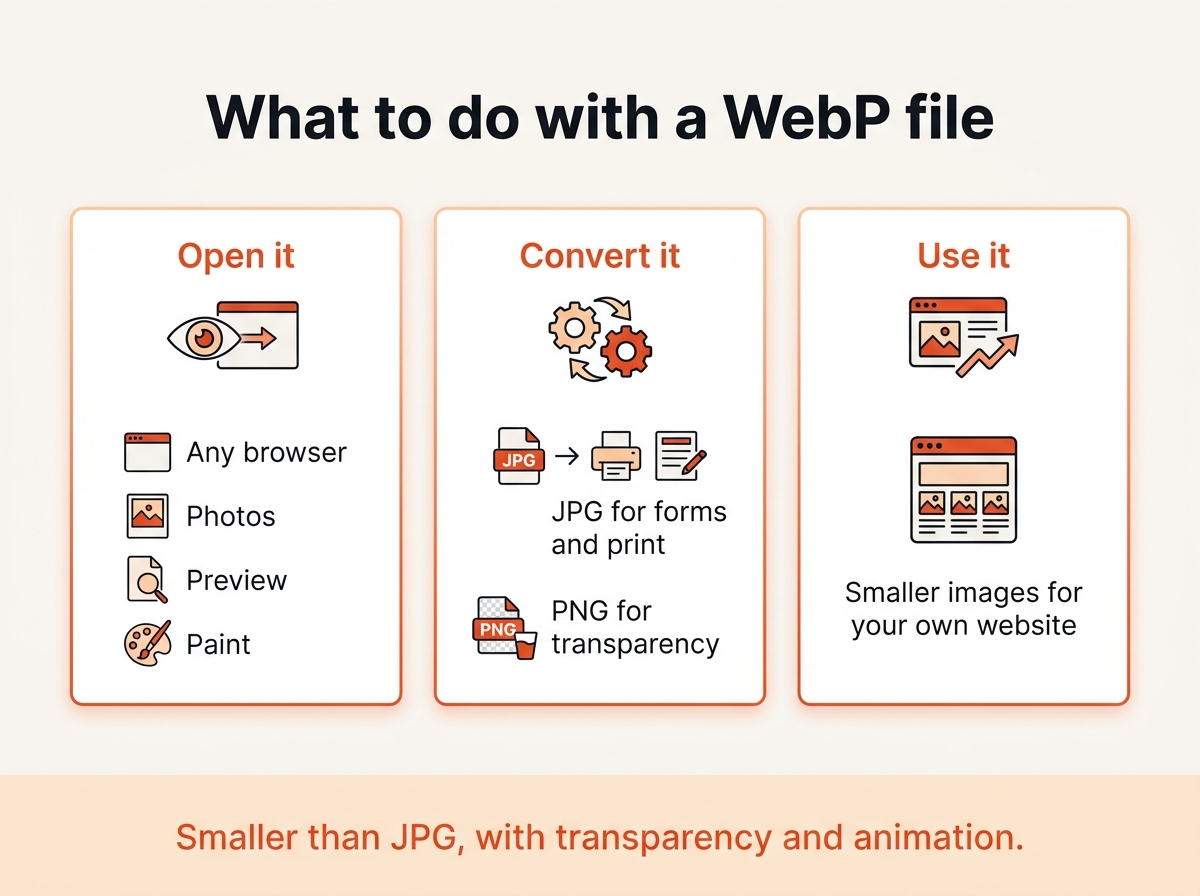
The quickest answer: in a web browser. Chrome, Firefox, Safari and Edge all display WebP images natively, so double-clicking a .webp file or dragging it into a browser window shows the picture.
Beyond the browser, support is now wide:
- Windows 10 and 11: the Photos app and Paint open WebP files. Paint can also save them as JPG or PNG.
- macOS: Preview opens WebP since Big Sur, and Quick Look previews it in the Finder.
- iPhone and Android: the Photos and Gallery apps display WebP images, and the browsers do too.
- Image editors: GIMP, Photoshop (since version 23.2), Affinity Photo, IrfanView and XnView all read and write the format.
If an older program refuses the file, converting it is faster than looking for a plugin.
How to convert WebP to JPG or PNG
Some uses still want the classic formats: an old photo editor, a print service, an upload form, or a gallery plugin that lists JPG and PNG only. Three ways to convert WebP files:
- In your browser, no upload. Drop the files into our image converter, choose JPG or PNG, download. Up to 20 at once, nothing leaves your device.
- Windows: open the image in Paint, choose Save as, pick JPEG or PNG.
- Mac: open it in Preview, choose File, Export, pick the format.
Choose PNG if the WebP image has transparency you want to keep. JPG cannot store transparent areas; the converter fills them with white.
The other direction, from PNG or JPG to WebP, is what you want for your own website. The PNG to WebP guide explains the lossy and lossless options.
Why does Chrome save images as WebP?
Because that is what the website sent. Browsers tell a server which formats they accept, and a site that has WebP versions serves them to browsers that can display them. When you save the picture, you get the file as delivered.
Two ways around it if you want a JPG:
- Open the image in a browser that the site does not serve WebP to, which is rarer every year.
- Save the WebP file and convert it. Our converter takes a few seconds and keeps the quality.
Copying the image from the page and pasting it into an editor also gives you a bitmap you can save in any format, at the cost of losing metadata.
When should you use WebP yourself?
For anything on a website, almost always. Converting your images to WebP is one of the quickest wins for page speed and the Core Web Vitals that Google measures. Every current browser supports WebP, so the old advice to keep a JPG fallback only matters if your visitors use software from before 2020.
Keep the classic formats when:
- the image is going to print, where WebP is rarely accepted,
- a form, portal or CMS restricts uploads to JPG and PNG,
- you need an archive copy to edit later, where PNG or the camera original is safer,
- the file is a tiny icon, where WebP’s overhead can make it larger.
Google maintains the format and the official tools, documented on the WebP developer site, including the cwebp command line encoder for batch conversion.
Frequently asked questions
Is WebP better than JPEG?
For the web, yes: smaller files at the same visible quality, plus transparency and animation that JPEG lacks. For printing, archiving and maximum compatibility, JPEG still wins.
Is a WebP file lossy or lossless?
Either. The person or program that creates the WebP file chooses. Photos are usually saved lossy, graphics and screenshots lossless.
Can WebP files have viruses?
A WebP file is image data, not a program, and cannot run code by itself. As with any file type, keep your browser and operating system updated, since decoders occasionally get security patches.
Does WebP keep EXIF data?
It can. WebP files have room for EXIF and XMP metadata, and many converters preserve it. Check with the EXIF viewer before sharing a WebP photo publicly.
How do I stop Chrome from saving WebP?
You cannot change what the site sends, but you can convert the saved file in seconds, or copy and paste the image into an editor to save it in another format.
What is the difference between WebP and AVIF?
AVIF compresses even smaller than WebP, but encoding is slower and support in editors and older browsers is thinner. WebP is the safe default today, AVIF the next step for performance-focused sites.
The short version
A WebP file is a web-optimized image that is smaller than JPG and PNG and can do transparency and animation on top. Open it in any browser, convert it when an old program or a form insists on JPG, and use it for your own website to make pages faster.