Alt Text SEO: What It Does for Rankings and How to Write It

Alt text, also called alternative text or the alt tag, is the only part of image SEO most people have heard of, and the one most often done badly. Written well, descriptive alt text gets your images into Google Images, gives search engines context for the content and helps visually impaired readers who use screen readers. Written badly, it is a list of keywords that helps nobody and can be read as spam. This guide covers what image alt text does for SEO, what it does not do, how to write it, how to find the images on your website that have none, and how to fix hundreds at a time.
How Google uses alt text
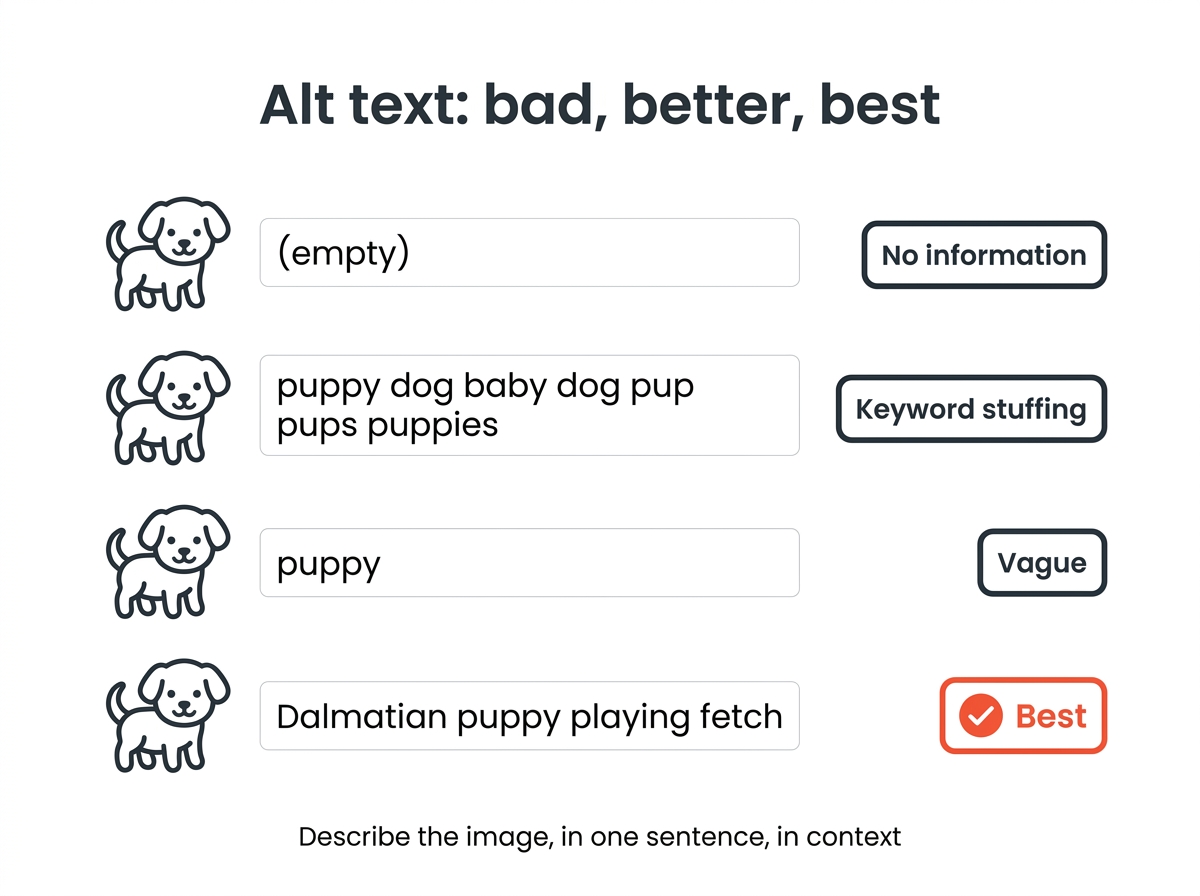
Google cannot see a picture the way a person does. To understand the image, it combines three signals: the alt text, computer vision, and the content around the image on the page. Google’s documentation on images in search calls alt text the most important attribute for providing information about an image and gives the classic progression from bad to good:
| Alt text | Verdict |
|---|---|
| (empty) | No information |
| puppy dog baby dog pup pups puppies doggies pup | Keyword stuffing, can be treated as spam |
| puppy | Better, but vague |
| Dalmatian puppy playing fetch | Best: specific and natural |
Two more uses matter for SEO. If an image is a link, the alt tag acts as the anchor text for that link, so relevant words there help Google understand the linked page. And when an image fails to load, the alternative text appears in its place, which keeps the content readable.
What alt text does for rankings, honestly
Alt text is a direct factor for ranking in Google Images and a small contextual signal for the page in web search results. It is not a lever that moves a page from position 20 to position 3, and anyone who promises that your website will jump by adding alt text is selling something. In the ranking of the seven fixes in the image SEO guide, alt text sits behind file size and format, because those affect Core Web Vitals and therefore every query on the page.
Where alt text does move the needle:
- Image search traffic. Product photos, diagrams, charts and infographics appear in image search results only if the alt text and surrounding content describe them with relevant words.
- Pages with little text. Galleries, portfolios and product grids rely on alt text for most of their on-page content.
- Accessibility signals. Visually impaired users bounce from pages they cannot use. Lower bounce and longer visits are good for your website even if alt text is not scored directly.
Should I put keywords in alt text?
Yes, when the keyword describes the image. No, when it does not. If the page targets “red trail running shoe” and the image shows a red trail running shoe, the relevant keyword belongs in your alt text because it is accurate. If the image shows the shoe’s box, the alt text should say that, keyword or not. Using relevant keywords this way is best practice; using every keyword on the page is stuffing.
The test that keeps you honest: read your alt text aloud as if to someone on the phone who cannot see the screen. If it sounds like a description, it is alt text that works. If it sounds like a search query, rewrite it.
Alt text best practices
- Describe what the image shows in context. The same photo of a kitchen needs different alt text on a real estate listing (light, size) than on a cooking blog (the stove). Make the description match the content of the page.
- Be descriptive and specific. “Bar chart: organic traffic rose from 12,000 to 31,000 visits between January and June” beats “chart”.
- Keep it to one sentence, about 125 characters. Longer descriptions belong in the visible text or a caption.
- Skip “image of” and “picture of”. Screen readers already announce an image.
- Use the product name and key attribute for product photos. “Bosch GSR 12V cordless drill, blue, with battery” helps both shoppers and search.
- Leave decorative images empty. A divider or background flourish gets alt=”” so screen readers skip it. Do not omit the attribute; many screen readers then read the file name, which does nothing to improve the experience.
- Add the alt text, then the file name, then the caption. They should agree without being identical. All three help Google understand the image.
The guide to alt text examples shows twenty before-and-after rewrites, and the explainer on what alt text is covers the basics for new team members.
How to find images without alt text
Most websites have more gaps than their owners think. Three ways you can audit your website:
- Browser: Right-click an image, choose Inspect, and look for the alt attribute in the img tag. Fine for spot checks.
- Site crawler: Screaming Frog, Sitebulb and similar tools list every image with missing or empty alt text across the whole site. The free tier of Screaming Frog covers 500 URLs.
- Accessibility checkers: The WAVE browser extension and Lighthouse in Chrome DevTools flag missing alt text per page, together with other accessibility issues.

Prioritize product images, images on pages that already rank in search results, and images that link somewhere. Decorative images with alt=”” are not errors and should stay empty. Fixing the top hundred images usually brings most of the improvement.
Fixing alt text at scale
For a few dozen images, add the alt text by hand; nothing beats a human who knows the product. For thousands, AI tools draft descriptive text that you then review and make specific. WordPress plugins process the media library in bulk, and standalone tools handle single uploads. The comparison of alt text generator tools shows which ones produce usable text and where they fail, usually on context and on text inside images. Treat AI output as a first draft: it describes what is visible, not why the image is on your page.
Quick answers
Does alt text help SEO? Yes, mainly for Google Images and as context for the content of the page. It is a small factor for web search rankings, not a large one, but it is one you can improve in an afternoon.
Should I put keywords in alt text? Only relevant keywords that describe the image. Keyword lists hurt users and can be treated as spam.
Does Google penalize missing alt text? There is no penalty, but images without alt text are unlikely to appear in image search, and the page loses accessibility.
How do I check which images have no alt text? Use a crawler such as Screaming Frog for the whole site, or the WAVE extension and Lighthouse for single pages.