JPG to PNG: How to Convert and When It Makes Sense
Converting JPG to PNG takes one click, but it is worth knowing what you get. The PNG format uses lossless compression and supports transparency, so it is the right choice for logos, screenshots and graphics you will keep editing. What a JPG to PNG converter cannot do is bring back detail that JPEG compression already removed; PNG files are bigger, not sharper. Here are four ways to convert your files, including how to make the backdrop transparent, and the cases where you should leave your images alone.
Why convert JPG to PNG?
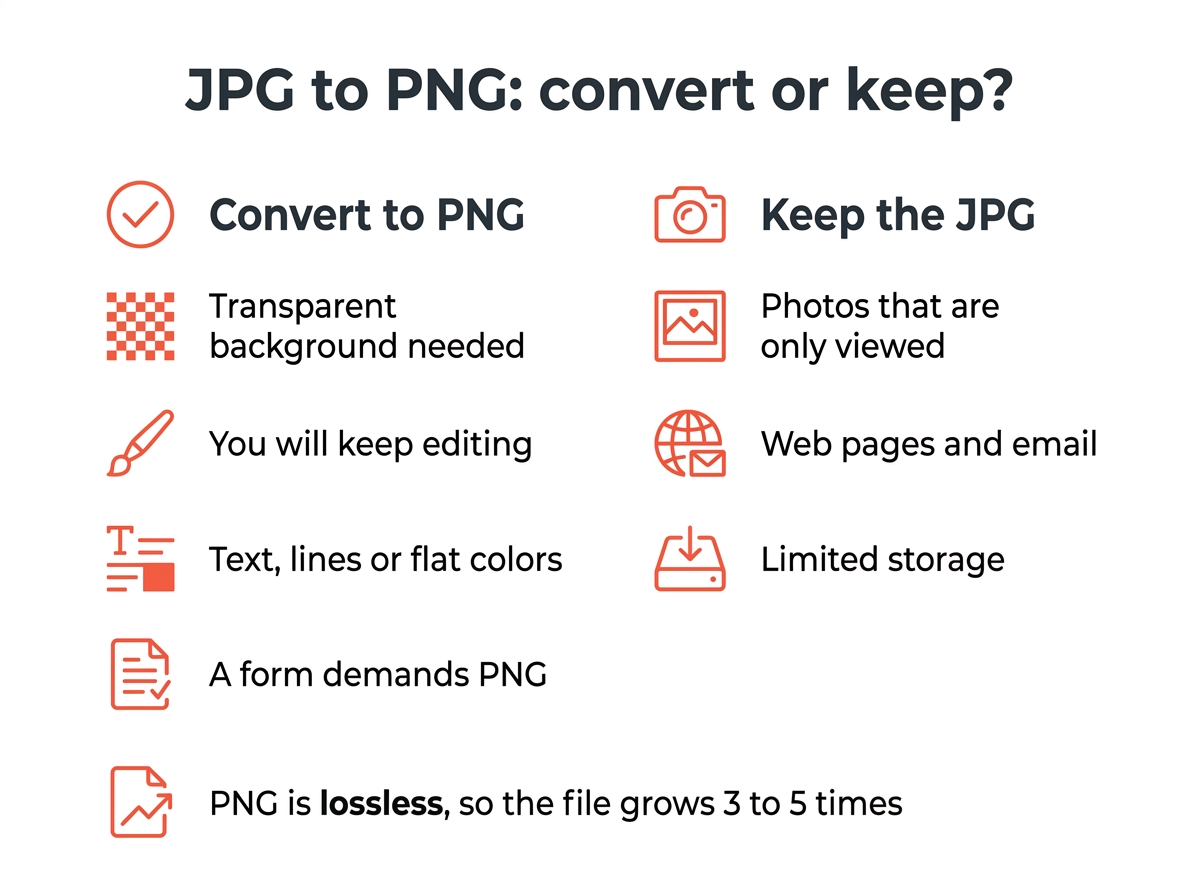
- You want a transparent backdrop. JPEG cannot store one; PNG can. Converting alone does not create it, you remove the backdrop afterwards.
- You will keep working on it. Every time a JPEG is saved it loses a little image quality. A PNG file stays exactly as it is through any number of edits.
- The picture has text, lines or flat color. Screenshots, diagrams and logos look crisper, and the artifacts around letters stop getting worse.
- A form or app only accepts PNG. Some upload fields, app stores and print services demand it, and you have no choice.
If it is a photo and none of these apply, keep the JPEG. The guide on image formats explains the trade-offs between JPG, PNG and WebP in more detail.
Step 1: Pick a tool
In the browser, without uploading. Our image converter is a JPG to PNG converter that runs on your own computer. Drop in your images, choose PNG, click the Convert button and download them; a whole folder comes back as a ZIP. Other online tools such as CloudConvert, Convertio or Ezgif work the same way, but you upload your files to a server first, which matters for client logos and private pictures.
Windows: Paint. Open the picture in Paint, choose File, Save as, and pick PNG picture. Paint 3D and the Photos app offer the same option. For many images at once, the free IrfanView software has a batch window under File, Batch Conversion, using which you can convert a whole folder.
Mac: Preview. Open the picture in Preview, choose File, Export, and select PNG from the Format menu. For a folder, open all of them in one Preview window, select the thumbnails in the sidebar and choose File, Export Selected Images. Apple documents this in its guide to converting image file types in Preview.
Command line. ImageMagick handles one file or a folder:
magick photo.jpg photo.png
for f in *.jpg; do magick "$f" "${f%.jpg}.png"; done
Step 2: Make the backdrop transparent
Converting keeps the backdrop exactly as it is. For a transparent result you need an editor:
- Convert your files with any method above.
- Open the PNG file in software that supports transparency: GIMP, Photoshop, Photopea (free, in the browser) or Canva.
- Select the backdrop with the magic wand or a removal tool and delete it. The checkerboard pattern that appears is the transparent area.
- Export as PNG again.
Logos on a plain white or single-color backdrop come out clean. Photos with hair, glass or shadows need an AI remover, which most editors now include, and you can use it on them with one click.

Does converting JPG to PNG improve quality?
No. The PNG contains exactly the pixels of the JPEG, named after the Joint Photographic Experts Group, including every artifact. What changes is what happens after: PNG files are stable when you edit and save them again. Expect the file size to grow three to five times, because PNG uses lossless compression designed for graphics, not photographs. If size matters later, the image compressor brings a PNG down, or you can convert the final result back to JPEG for the web.
Quick answers
How do I convert a JPG to PNG on Windows? Open it in Paint and save as PNG picture, or use the browser converter.
How do I convert JPG to PNG on a Mac? Preview: File, Export, pick PNG.
How do I change JPG images to PNG on iPhone? Share them to a converter site that works in the browser, or use the Files app: long-press, choose Quick Actions and Convert Image, then PNG.
Can I just rename the extension? No. The data stays JPEG and many programs will refuse to open the result. The reverse direction, PNG to WebP, follows the same rule.