Best Free AI Image Generator: 8 Tools Tested, No Sign-Up

Every AI image generator calls itself free. Most of them mean a handful of daily credits, a watermark, or a sign-up wall before the first picture appears. This guide sorts the free tools by what the free tier really offers, starting with the generators that require no account at all.
Limits change monthly, so treat the numbers here as a snapshot and check the current terms before you build a workflow around any of them.
Free AI image generators with no sign-up
These platforms let you type your prompt and get a result without creating an account, which is just what you need for a quick visual.
Perchance. A community-run generator with unlimited use, no account and no watermark. The interface is bare, the ads are plentiful, and quality on complex or photorealistic prompts is not consistent. For quick concept art and style experiments it is hard to beat for the price of zero.
Craiyon. One of the oldest free generators, improved a great deal since its DALL-E mini days. No account needed; the free tier is ad-supported, slower, and watermarks the output. Good for a fast idea, not for a finished graphic.
Pollinations. An open-source generator that offers several models, including FLUX, with no sign-up and a public API. The result quality is often better than the no-frills interface suggests, and you can create multiple variations in one go.
Hugging Face Spaces. Dozens of community-hosted Stable Diffusion and FLUX demos run without an account. Queues get long at peak times, and each Space has its own quirks, but the models are current and nothing is watermarked.
Free with an account
A free account unlocks better models, higher resolution and fewer ads. The usual price is a daily or monthly credit limit, and some platforms require a phone number as well.
Bing Image Creator and Microsoft Designer. Built on OpenAI’s image models, free with a Microsoft account. You get a number of fast generations per day, after which generation slows down rather than stopping. Strong at realistic scenes and readable text, and handy for social media graphics.
Adobe Firefly. A monthly allowance of generative credits on the free tier, with the advantage that Adobe trained the model on licensed and public domain content, which matters when you plan to use the result commercially.
ChatGPT. The free tier includes image generation with a daily cap. The model and its editing mode are unusually good at following detailed instructions and rendering readable text.
Google ImageFX and Gemini. Free with a Google account, with the Imagen models behind them and a prompt editor that suggests variations. Every result carries an invisible SynthID watermark that marks it as AI generated.
Which one is the best free image generator?
It depends on what you need:
| Need | Pick |
|---|---|
| No account, unlimited tinkering | Perchance |
| Best quality without paying | Bing Image Creator or ChatGPT |
| Commercial use with cleaner training data | Adobe Firefly |
| Readable text in the image | ChatGPT or Bing Image Creator |
| Open-source model, API access | Pollinations or a Hugging Face Space |
| Full control, no limits, your own hardware | Stable Diffusion locally |
Running Stable Diffusion or FLUX on your own computer is the only option with no limits at all. It needs a GPU with at least 8 GB of memory and an evening of setup, after which every generation is free forever and no one else sees your content.
Can you use free AI images commercially?
Mostly yes, with two caveats.
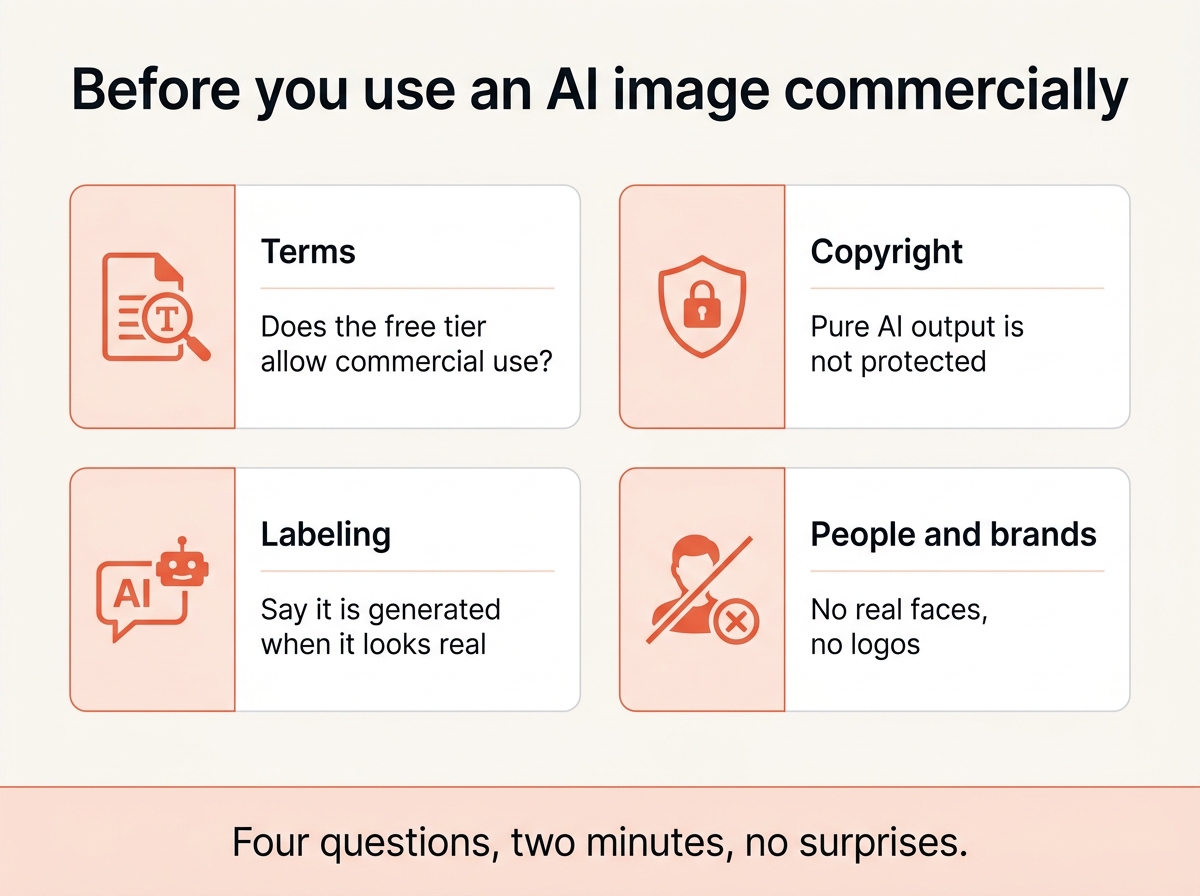
First, read the terms. Most free tiers allow commercial use, a few restrict it to paid plans, and some claim a license to reuse what you generate.
Second, copyright. The US Copyright Office has stated that works generated entirely by AI without human authorship are not eligible for copyright protection. In practice that means you can use the image, but you cannot stop anyone else from using it too. Our guide to free stock photos and AI images covers the licensing side in detail.
How to write a prompt that works
The generator matters less than your prompt. A useful structure for any of them:
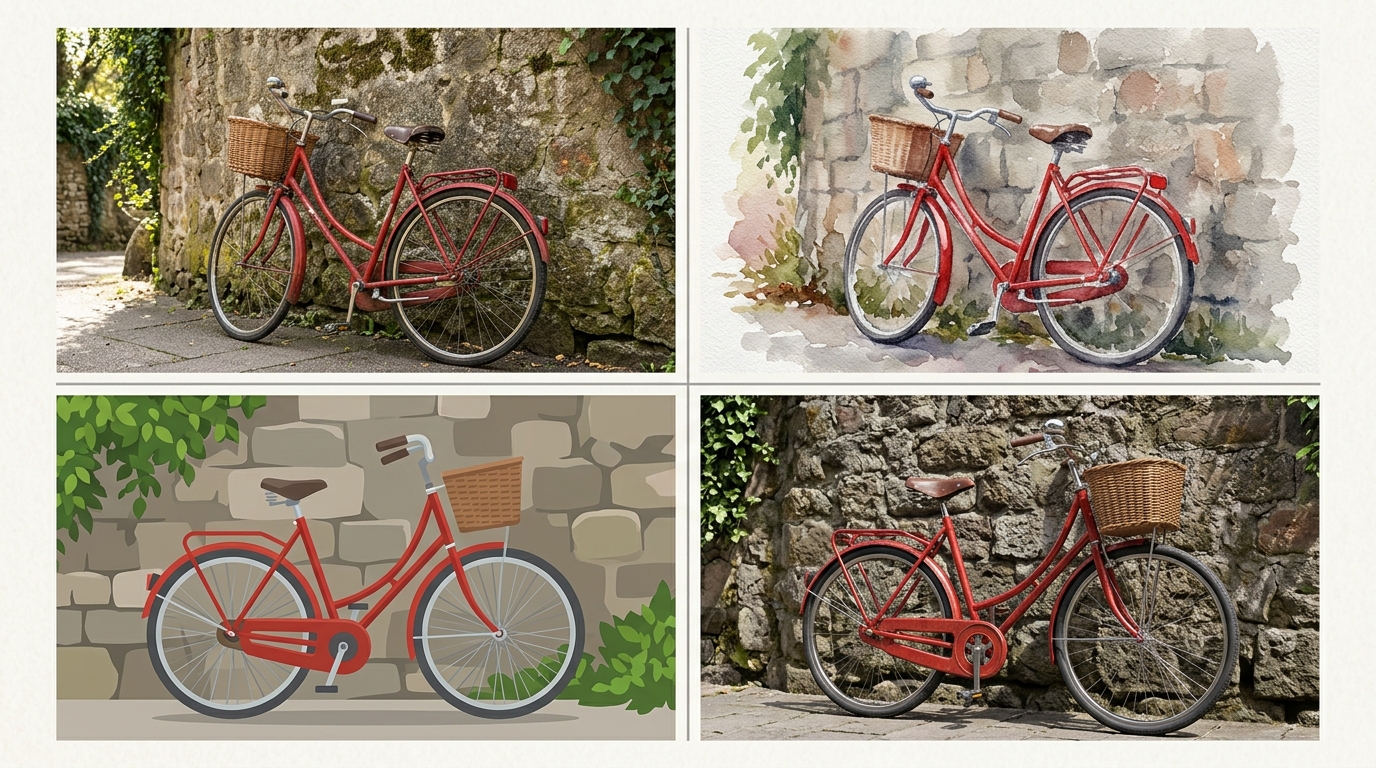
- Subject. What is in the image, specifically. “A red vintage bicycle” beats “a bike”.
- Setting. Where it is and what surrounds it.
- Style. Photo, watercolor, flat illustration, 3D render, film still.
- Light and camera. Golden hour, soft studio light, 35 mm lens, shallow depth of field.
- Mood and detail words. Calm, dramatic, highly detailed, minimal.
Keep prompts in English, since the models were trained mostly on English captions. Create multiple variations, pick one, and refine from there rather than rewriting from scratch. Creative detail words do more than quality words like 4K.
What to do with the result
- Check it. Hands, text, reflections and repeating patterns are where generators still slip. Our guide on spotting AI-generated images lists the visual tells.
- Resize and compress it. Generators output large PNGs. Run the file through the image compressor before it goes on a website or into a social media post.
- Label it. When the picture illustrates something real, say it was generated. Some platforms require this, and readers appreciate it.
Frequently asked questions
Which AI image generator is completely free with no restrictions?
None of the hosted ones. Perchance comes closest with unlimited use and no account, at the cost of ads and uneven quality. A locally installed model has no restrictions but needs your own hardware and gives you full access to every setting.
Do free AI image generators add watermarks?
Some visible ones do, Craiyon among them. Google’s tools add an invisible SynthID mark that identifies the picture as AI generated without changing how it looks.
How many images can I generate for free?
Anywhere from a handful per day on the account-based platforms to unlimited on Perchance and Pollinations. Daily caps change often, so check the current terms.
Which free AI image generator is best for realistic photos?
Bing Image Creator, ChatGPT and the FLUX models on Pollinations produce the most convincing photographic results on free tiers today. Adobe Firefly is not far behind and adds creative styles for art and illustration.
Can I generate images of real people or brands?
Most generators block prompts naming real people, and using a brand’s logo or a celebrity’s likeness in a commercial picture is a legal problem regardless of what the generator allows.
The short version
For zero friction, use Perchance or Pollinations. For the best free quality, sign in to Bing Image Creator or ChatGPT. For commercial work, Adobe Firefly’s licensing is the safest. And whichever you choose, your prompt decides more than the generator.